
Why Is My Website Slow? 10 Common Reasons and How to Fix Them
Why Is My Website Slow? 10 Common Reasons and How to Fix Them
Have you ever asked yourself, “Why is my website slow?” A slow-loading website can frustrate visitors, increase the chances of people leaving your site, and affect your overall online performance.
The good news is that a slow website usually has one or more identifiable causes. You do not always need to rebuild your entire website to improve its speed. In many cases, optimizing images, reducing unnecessary scripts, improving hosting, or configuring caching correctly can make a significant difference.
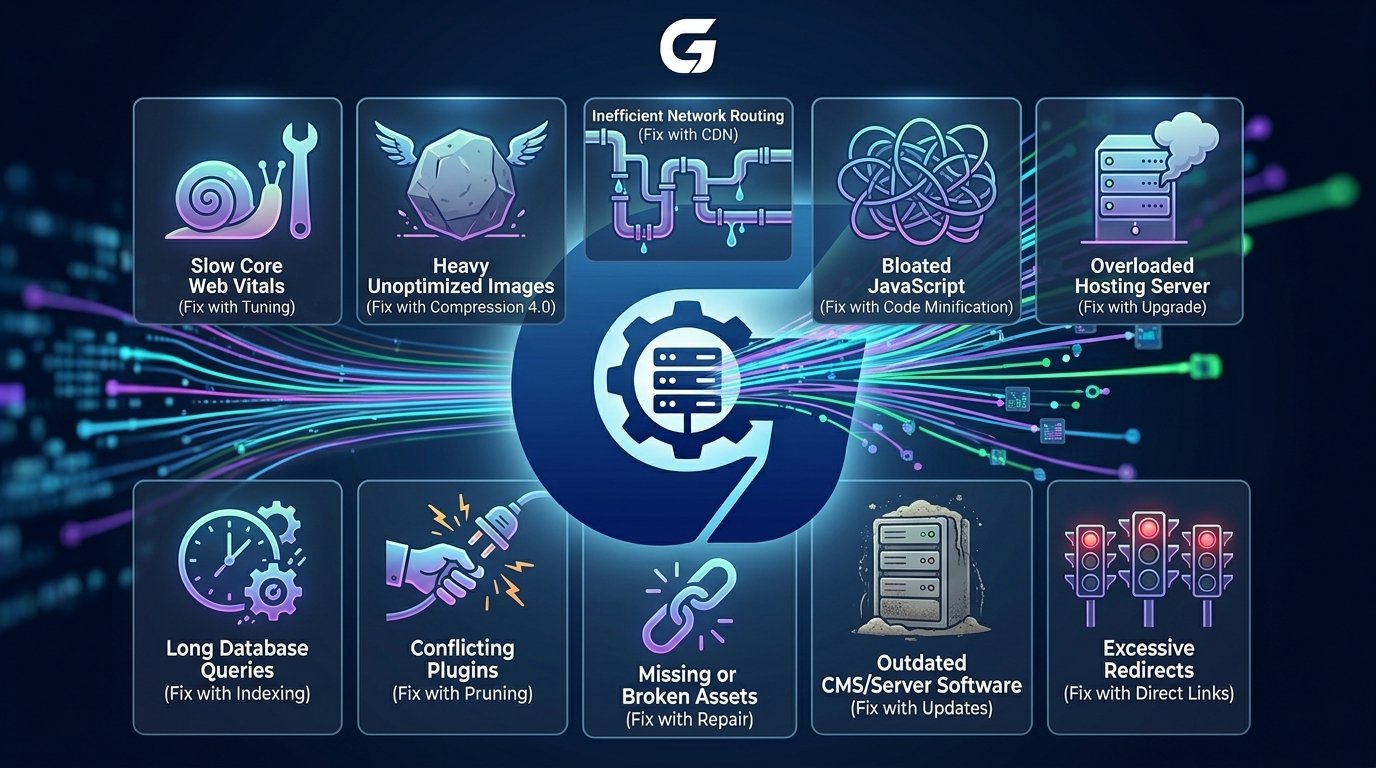
In this article, I will explain 10 common reasons why your website is slow and how to fix them.

1. Your Images Are Too Large
Large images are one of the most common reasons for a slow website. High-resolution images can significantly increase the amount of data a visitor needs to download.
How to fix it:
- Resize images before uploading them.
- Compress large image files.
- Use modern formats such as WebP or AVIF where appropriate.
- Lazy-load images that appear further down the page.
Avoid uploading a large image if it will only be displayed as a small image on your website.
2. Your CSS Files Are Too Large
Themes and page builders often load large CSS files containing styles that are not required for every page.
Large stylesheets can delay page rendering and increase page size.
How to fix it:
- Remove unused CSS.
- Minify CSS files.
- Load page-specific styles only when necessary.
- Avoid installing multiple tools that add duplicate styles.
Reducing unnecessary CSS can help browsers display your website content faster.
3.You Have Too Many Unnecessary Plugins
For WordPress websites, plugins can sometimes be a major performance problem.
However, the number of plugins is not always the issue. A website with many lightweight and well-coded plugins can perform better than a website with only a few poorly optimized ones.
How to fix it:
Review your installed plugins and remove any that are:
- No longer needed
- Duplicating another plugin’s functionality
- Adding unnecessary scripts or styles
- Poorly maintained
Keep only the plugins that provide real value to your website.
4. Your Website Is Not Using Proper Caching
Without caching, your server may need to process the same requests repeatedly for every visitor.
Caching can reduce unnecessary server work and help pages load faster.
How to fix it:
Depending on your website, consider using:
- Page caching
- Browser caching
- Object caching
- Server-side caching
- CDN caching
For WordPress websites, a properly configured caching solution can significantly improve performance.
5. Your Website Loads Too Much JavaScript
Modern websites often load JavaScript from themes, plugins, analytics tools, chat widgets, social media platforms, and third-party services.
Large amounts of JavaScript can slow down page loading and make your website feel less responsive.
How to fix it:
- Remove unused JavaScript.
- Delay non-essential scripts.
- Load scripts only on pages where they are needed.
- Review third-party tools and widgets.
For example, a chat widget may not need to load immediately when every page opens.
6. Your Web Hosting Is Too Slow
If your server takes too long to respond, your entire website may feel slow before the browser can even begin loading the page properly.
Low-quality shared hosting, overloaded servers, or poor server configuration can all affect website performance.
How to fix it:
- Check your server response time.
- Upgrade to a reliable hosting provider if necessary.
- Make sure your PHP and server software are up to date.
- Use server-side caching where available.
Better hosting alone will not fix every performance problem, but a slow server can limit how fast your website can become.
7. Too Many Third-Party Scripts Are Running
Third-party services can add hidden performance costs.
Common examples include:
- Analytics tools
- Advertising scripts
- Social media widgets
- Live chat tools
- Tracking pixels
- Review widgets
- External fonts
Every third-party service may add additional network requests and processing.
How to fix it:
Review every external service running on your website and ask:
Do I really need this?
Remove unnecessary services and consider delaying non-essential scripts until after important page content has loaded.
8. Your Website Is Using Too Many Large Files
Your website may simply be downloading too much data.
This can include:
- Large images
- Videos
- JavaScript libraries
- CSS files
- Fonts
- Large page builder files
The more data your visitors need to download and process, the longer your website may take to load.
How to fix it:
Use a website performance testing tool to identify the largest files and unnecessary requests.
Focus first on the files that have the biggest impact rather than making small changes everywhere.
9. Your Database Needs Optimization
If you have a WordPress, WooCommerce, or other database-driven website, your database can become less efficient over time.
Unused data, old revisions, unnecessary records, and poorly optimized database queries can affect website performance.
How to fix it:
- Remove unnecessary data carefully.
- Optimize slow database queries.
- Delete unused plugins that leave unnecessary data behind.
- Keep your database properly maintained.
Always create a backup before making database changes.
10. Your Website Has Too Many Redirects
Redirects create additional requests before visitors reach the final page.
For example:
http → https → www → final pageToo many unnecessary redirects can delay page loading.
How to fix it:
Make sure your website uses one consistent URL structure and remove unnecessary redirect chains.
Internal links should also point directly to the final URL whenever possible.